 ASGE
ASGEConfigure the game window
Tell the editor what size a real build of the game runs at, so the previews match.
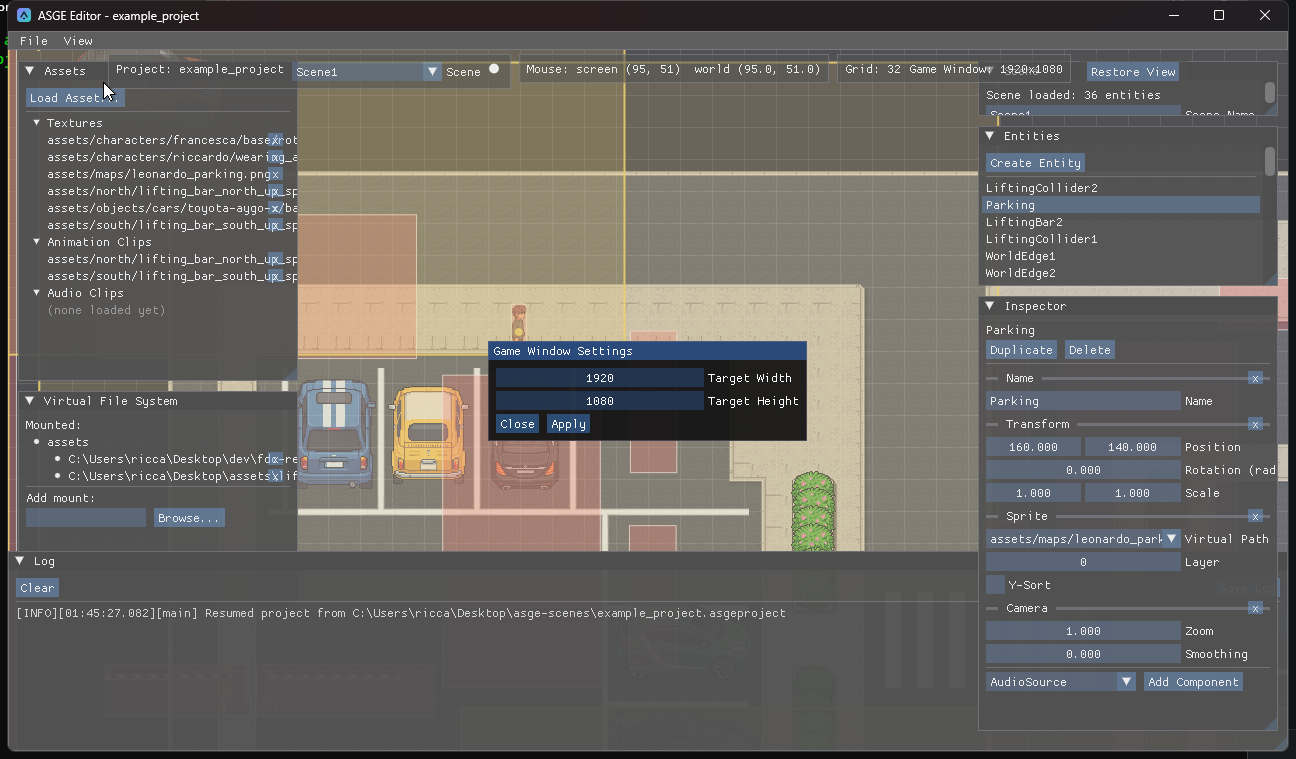
Steps
- Open View → Game Window (disabled without a project).
- Set the target width and height. They are saved in the project's
[View]settings.
Previews
- Every entity with a
Cameracomponent gets a live preview box: a world-space rectangle showing exactly what that camera frames at the configured game window size, centred on the entity's visual midpoint (its sprite's bounds, not just its transform's corner) at that camera's zoom. It uses the same math assystems::CameraSystemat runtime but is never applied to the editor's own view. - A separate preview anchored at the world origin shows the letterboxed game window itself, regardless of any camera, dimming everything outside it like a real letterbox.
Previous: Navigate the viewport · Next: Add entities and components.