 ASGE
ASGELevel editor
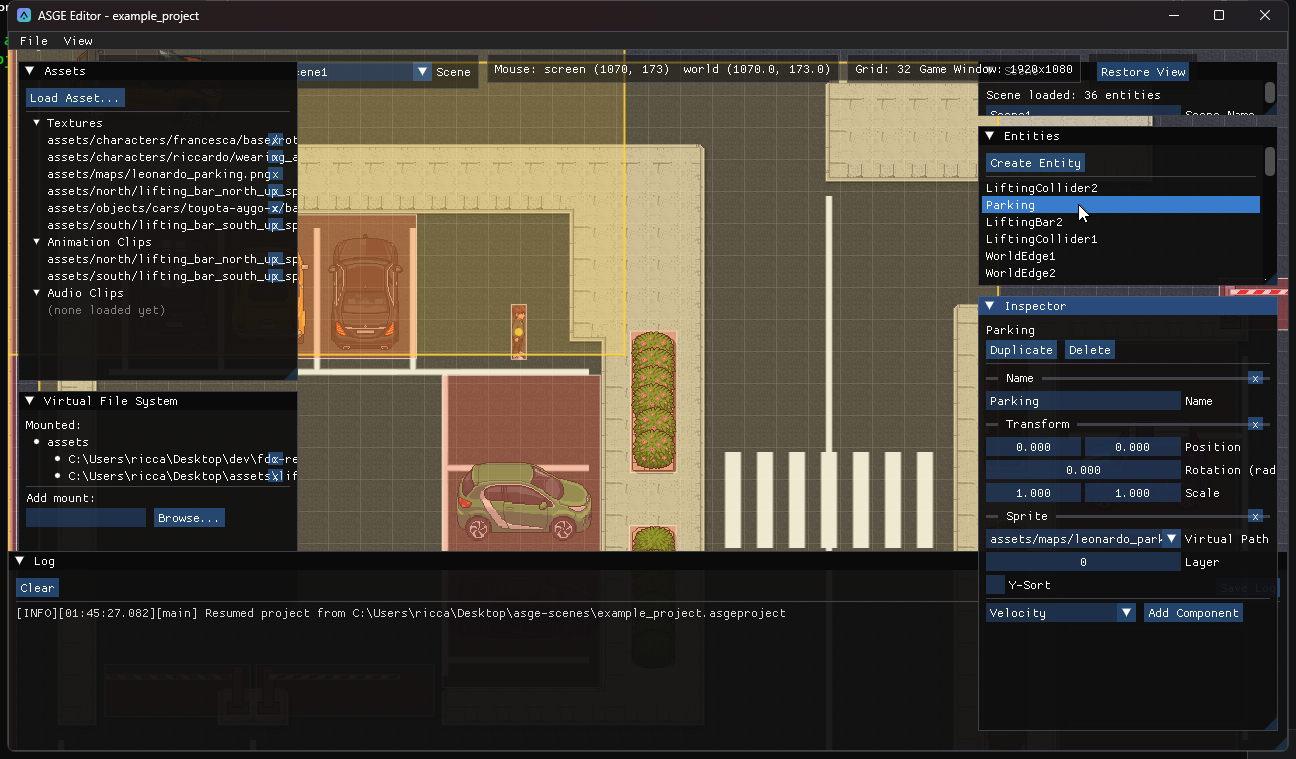
asge-editor is a native ImGui-based editor for authoring ASGE scenes visually: place and configure
entities, wire up components, manage textures, animations and audio, and organise a project's scenes, without hand-writing TOML.
It is a plain executable built from the same CMake tree as the engine.
Native installers for Windows (.exe), Linux (.deb) and macOS (.dmg) ship with every
tagged release: see Releases.
Build from source
cmake --preset windows-editor-debug
cmake --build --preset windows-editor-debug --target asge-editor
# binary lands at bin/Debug/asge-editor.exe
The editor never links against or depends on Game/IGameState: it drives asge::ecs::Registry,
SceneManager, AssetManager and IRenderer directly. See
Getting Started for the full build setup.
Guide
Create a project
Create or open a project and save its scenes from the File menu.
Work with scenes
Switch between a project's scenes, spot unsaved changes and rename a scene.
Navigate the viewport
Move entities, pan, zoom and set up the reference grid.
Configure the game window
Set the target game window size and preview what each camera frames.
Add entities and components
Create entities, edit their components in the Inspector and organise them in a hierarchy.
Arrange the UI
Create buttons, labels, checkboxes, sliders and panels and let a panel lay them out.
Import and inspect assets
Mount asset folders, load assets and preview them in the Asset Inspector.
Add a collider
Attach a Collider and draw its rect or circle directly on the viewport.
Animate a sprite
Slice a spritesheet into a clip and play it with an Animation component.
Make an entity follow a path
Author PathFollow waypoints by clicking on the viewport and preview the spline.