 ASGE
ASGEMake an entity follow a path
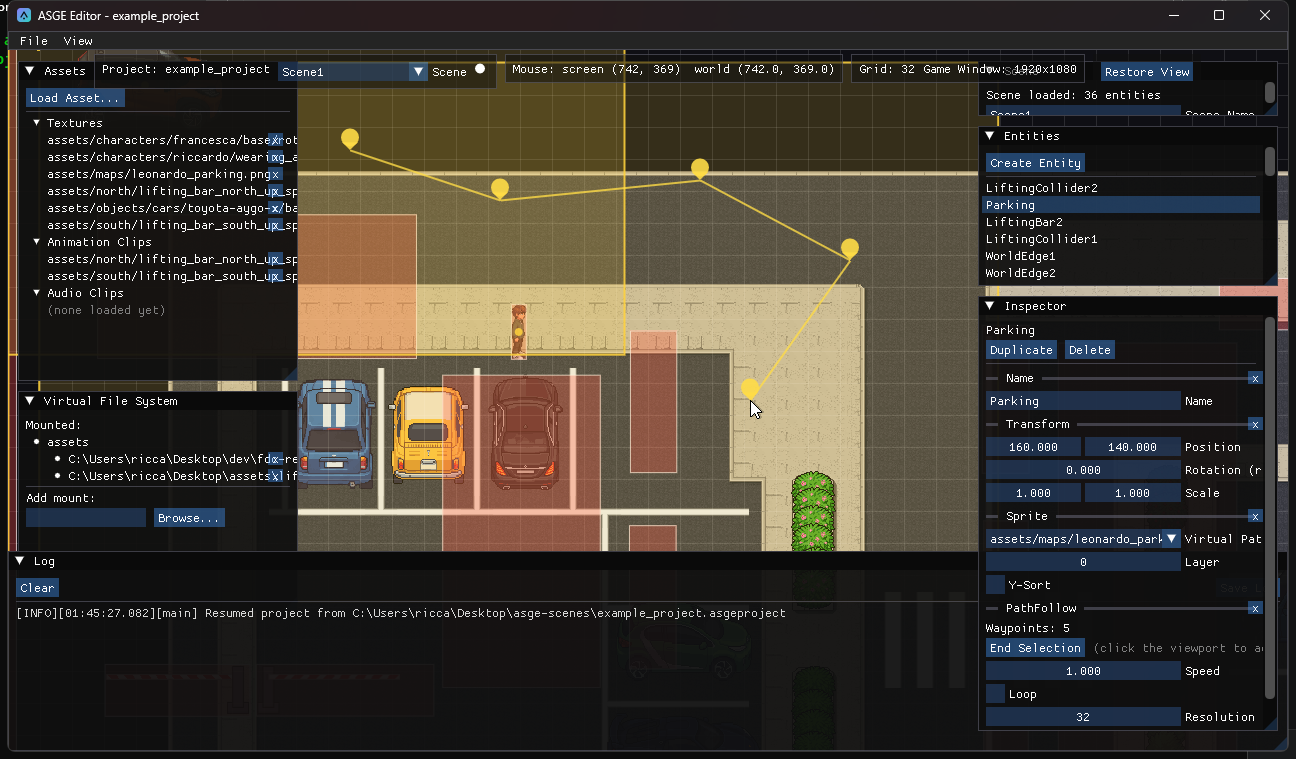
A PathFollow's waypoints are placed on the viewport rather than typed as numbers.
Steps
- Add a
PathFollowcomponent to the entity. - Click Select Waypoints in its Inspector section. The viewport becomes a click-to-place surface.
- Edit the path with the mouse, then click End Selection to commit and leave the mode.
| Input | Effect |
|---|---|
| Click | Append a waypoint at the cursor's world position. |
| Drag a point | Move it (a fixed screen-pixel pick radius, so it is grabbable at any zoom). |
| Right-click a point | Remove it. |
| Esc | Discard everything placed this session, restoring what was there before. |
| End Selection | Commit and exit the mode. |
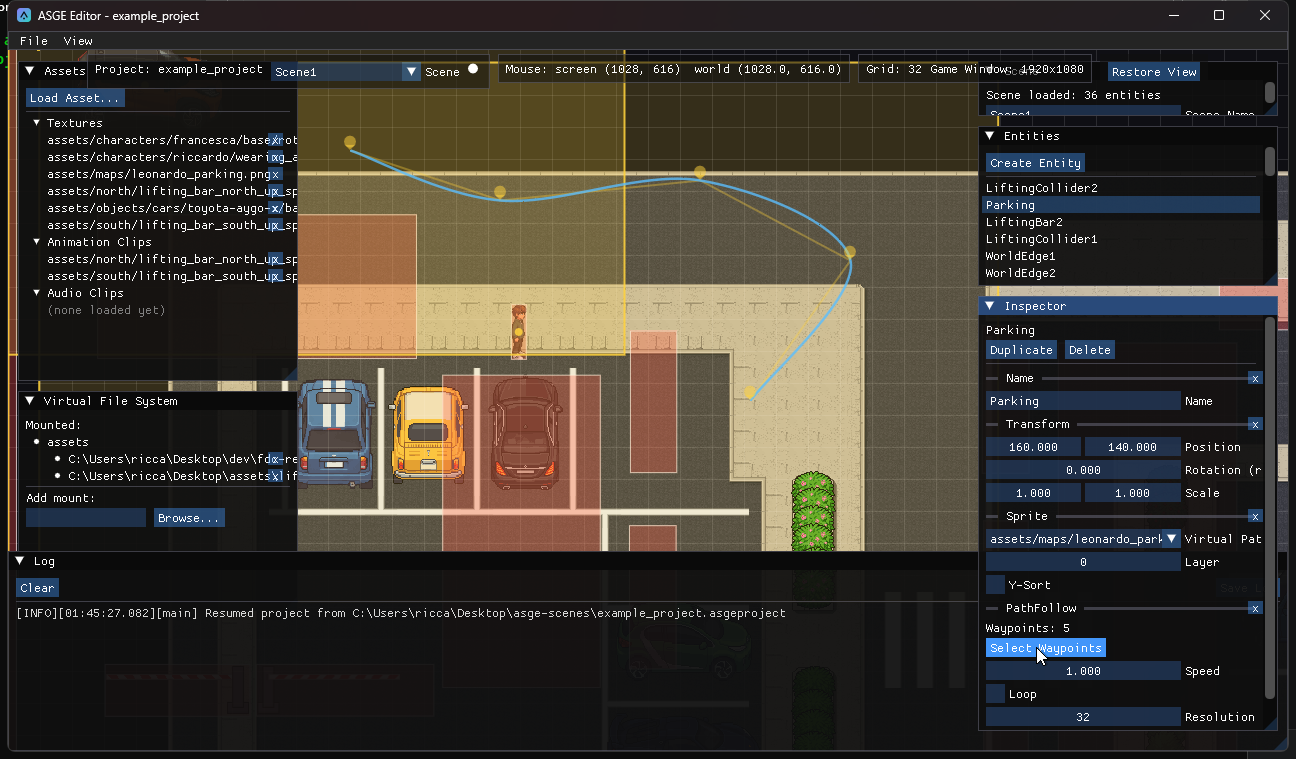
Waypoints stay visible as pin markers after selection ends. Outside edit mode, a real Catmull-Rom curve, the same interpolation PathFollowingSystem uses at runtime, overlays the straight point-to-point lines, sampled at the component's own Resolution, so it previews the path the entity will actually follow.
Previous: Animate a sprite.